Ollama's REST API is one of its strongest features for Linux developers who want to integrate local LLMs into applications, scripts, and automation pipelines. Unlike cloud-based APIs that require authentication tokens, billing accounts, and internet connectivity, Ollama's API runs on localhost and responds instantly. No API keys, no rate limits, no per-token charges. The API follows a straightforward HTTP/JSON pattern that works with curl, Python's requests library, or any HTTP client in any language.
This reference covers every endpoint in Ollama's REST API as of the current release. For each endpoint, we provide the HTTP method, URL path, request body parameters, response format, and practical examples you can run immediately on a Linux system with Ollama installed. We also cover streaming responses, error handling, and common integration patterns.
API Basics
Ollama listens on port 11434 by default. All endpoints accept and return JSON. The base URL for a standard installation is http://localhost:11434. For GPU driver setup, see our NVIDIA driver and CUDA installation guide.
# Verify Ollama is running and accessible
curl http://localhost:11434/api/version

# Response:
# {"version":"0.5.4"}

# If Ollama is on another host, set the URL
export OLLAMA_HOST=http://192.168.1.100:11434
There is no authentication mechanism built into Ollama. If you expose the API to a network, anyone who can reach port 11434 can use your models. For multi-user or network-exposed deployments, put a reverse proxy with authentication in front of Ollama.
POST /api/generate — Text Completion
The generate endpoint is the simplest way to get text from a model. Send a prompt, get a completion. It works for single-turn interactions where you do not need conversation history.
# Basic generation
curl http://localhost:11434/api/generate -d '{
  "model": "llama3.1:8b",
  "prompt": "Write a bash function that checks if a port is open",
  "stream": false
}'

# Response (stream: false returns complete response):
# {
#   "model": "llama3.1:8b",
#   "created_at": "2025-01-15T10:30:00Z",
#   "response": "Here is a bash function...",
#   "done": true,
#   "total_duration": 3254000000,
#   "load_duration": 15000000,
#   "prompt_eval_count": 15,
#   "prompt_eval_duration": 234000000,
#   "eval_count": 187,
#   "eval_duration": 2890000000
# }
Parameters
The generate endpoint accepts several parameters that control model behavior.
# Full parameter example
curl http://localhost:11434/api/generate -d '{
  "model": "llama3.1:8b",
  "prompt": "Explain RAID levels for a junior sysadmin",
  "system": "You are a senior Linux systems administrator. Be concise and practical.",
  "stream": false,
  "options": {
    "temperature": 0.7,
    "top_p": 0.9,
    "top_k": 40,
    "num_predict": 500,
    "num_ctx": 4096,
    "repeat_penalty": 1.1,
    "seed": 42,
    "stop": ["---", "END"]
  },
  "keep_alive": "5m"
}'
model (required): The model name and optional tag. Must be a model you have pulled or created.
prompt (required): The input text to complete.
system (optional): System message that sets the model's behavior. Equivalent to a system role message in chat.
stream (optional, default true): When true, the response is streamed as newline-delimited JSON objects. When false, the complete response is returned in a single JSON object.
options.temperature: Controls randomness. Lower values (0.1-0.3) produce more deterministic output. Higher values (0.8-1.0) increase creativity and variety. Default is 0.8.
options.num_predict: Maximum number of tokens to generate. Set this to prevent runaway responses. -1 means unlimited (generate until the model produces a stop token).
options.num_ctx: Context window size. Overrides the model's default. See the context windows article for memory implications.
keep_alive: How long to keep the model loaded after this request. Default is "5m". Use "0" to unload immediately, or "-1" to keep loaded indefinitely.
POST /api/chat — Conversational Interface
The chat endpoint handles multi-turn conversations with proper role-based messaging. This is what you want for chatbot-style applications.
# Multi-turn conversation
curl http://localhost:11434/api/chat -d '{
  "model": "llama3.1:8b",
  "messages": [
    {"role": "system", "content": "You are a Linux networking expert."},
    {"role": "user", "content": "How do I set up a VLAN on a bonded interface?"},
    {"role": "assistant", "content": "To create a VLAN on a bonded interface..."},
    {"role": "user", "content": "What about with NetworkManager instead of ip commands?"}
  ],
  "stream": false
}'
The messages array supports three roles: system (instructions for the model), user (human input), and assistant (model responses). Including previous assistant messages gives the model conversation context, enabling coherent multi-turn interactions.
Streaming Responses
# Streaming (default behavior) returns one JSON object per token
curl http://localhost:11434/api/chat -d '{
  "model": "llama3.1:8b",
  "messages": [{"role": "user", "content": "List 5 systemd tips"}]
}'

# Each line is a JSON object:
# {"model":"llama3.1:8b","message":{"role":"assistant","content":"1"},"done":false}
# {"model":"llama3.1:8b","message":{"role":"assistant","content":"."},"done":false}
# {"model":"llama3.1:8b","message":{"role":"assistant","content":" Use"},"done":false}
# ...
# {"model":"llama3.1:8b","message":{"role":"assistant","content":""},"done":true,
#  "total_duration":...,"eval_count":...}
Streaming is essential for responsive user interfaces. Without streaming, users stare at a blank screen for seconds while the model generates the complete response. With streaming, text appears progressively, which feels much faster even though the total generation time is identical.
POST /api/embed — Generate Embeddings
The embed endpoint generates vector embeddings for text, which are used for semantic search, RAG implementations, and document similarity.
# Generate embeddings for a single text
curl http://localhost:11434/api/embed -d '{
  "model": "nomic-embed-text",
  "input": "Linux kernel memory management"
}'

# Response:
# {
#   "model": "nomic-embed-text",
#   "embeddings": [[0.123, -0.456, 0.789, ...]],
#   "total_duration": 50000000
# }

# Batch embedding (multiple texts)
curl http://localhost:11434/api/embed -d '{
  "model": "nomic-embed-text",
  "input": [
    "Linux kernel memory management",
    "systemd service configuration",
    "nginx reverse proxy setup"
  ]
}'
The embedding model must be pulled separately from your chat model. nomic-embed-text is a popular choice — small, fast, and produces high-quality 768-dimensional embeddings. mxbai-embed-large produces 1024-dimensional embeddings with better accuracy for complex retrieval tasks but uses more memory.
Model Management Endpoints
POST /api/pull — Download a Model
# Pull a model (streams progress)
curl http://localhost:11434/api/pull -d '{"name": "llama3.1:8b"}'

# Non-streaming pull status
curl http://localhost:11434/api/pull -d '{
  "name": "codellama:13b",
  "stream": false
}'
POST /api/push — Push a Model to a Registry
# Push a custom model to the Ollama registry
curl http://localhost:11434/api/push -d '{
  "name": "username/my-custom-model:latest",
  "stream": false
}'
POST /api/create — Create a Custom Model
# Create a model from a Modelfile
curl http://localhost:11434/api/create -d '{
  "name": "my-assistant",
  "modelfile": "FROM llama3.1:8b
SYSTEM You are a helpful Linux assistant.
PARAMETER temperature 0.3
PARAMETER num_ctx 8192"
}'
GET /api/tags — List Local Models
# List all downloaded models
curl -s http://localhost:11434/api/tags | python3 -m json.tool

# Parse with jq for specific fields
curl -s http://localhost:11434/api/tags |   jq '.models[] | {name, size: (.size / 1073741824 | floor | tostring + " GB"), modified: .modified_at}'
POST /api/show — Model Information
# Get detailed model information
curl -s http://localhost:11434/api/show -d '{"name": "llama3.1:8b"}' | python3 -m json.tool

# Returns: modelfile, parameters, template, license, and system message
DELETE /api/delete — Remove a Model
# Delete a model
curl -X DELETE http://localhost:11434/api/delete -d '{"name": "old-model:latest"}'
POST /api/copy — Duplicate a Model
# Copy a model with a new name
curl http://localhost:11434/api/copy -d '{
  "source": "llama3.1:8b",
  "destination": "llama3.1-backup:8b"
}'
GET /api/ps — Running Models
# Show currently loaded models
curl -s http://localhost:11434/api/ps | python3 -m json.tool

# Response shows: model name, size, VRAM usage, processor type,
# and time until unload
Python Integration Patterns
For Python applications, you can use the requests library directly or the official ollama Python package.
# Using requests (no extra dependencies)
import requests
import json

def ask_ollama(prompt, model="llama3.1:8b", system=None):
    payload = {
        "model": model,
        "messages": [],
        "stream": False
    }
    if system:
        payload["messages"].append({"role": "system", "content": system})
    payload["messages"].append({"role": "user", "content": prompt})

    response = requests.post(
        "http://localhost:11434/api/chat",
        json=payload
    )
    return response.json()["message"]["content"]

# Using the official ollama package
# pip install ollama
import ollama

response = ollama.chat(
    model="llama3.1:8b",
    messages=[
        {"role": "system", "content": "You are a Linux sysadmin."},
        {"role": "user", "content": "Explain inodes briefly."}
    ]
)
print(response["message"]["content"])
Streaming with Python
import requests
import json

def stream_response(prompt, model="llama3.1:8b"):
    response = requests.post(
        "http://localhost:11434/api/chat",
        json={
            "model": model,
            "messages": [{"role": "user", "content": prompt}],
            "stream": True
        },
        stream=True
    )

    for line in response.iter_lines():
        if line:
            data = json.loads(line)
            token = data.get("message", {}).get("content", "")
            print(token, end="", flush=True)
            if data.get("done"):
                print()  # newline at end
                return data

stream_response("Write a systemd timer unit")
Bash Integration for Automation
Ollama's API works naturally in shell scripts for automation tasks.
#!/bin/bash
# Script: analyze-logs.sh
# Feed log excerpts to Ollama for analysis

OLLAMA_URL="http://localhost:11434/api/generate"
MODEL="llama3.1:8b"

analyze_log() {
    local log_excerpt="$1"
    local payload=$(jq -n         --arg model "$MODEL"         --arg prompt "Analyze this Linux log excerpt and identify any issues:
$log_excerpt"         '{model: $model, prompt: $prompt, stream: false, options: {temperature: 0.2}}')

    curl -s "$OLLAMA_URL" -d "$payload" | jq -r '.response'
}

# Get recent error logs
RECENT_ERRORS=$(journalctl -p err --since "1 hour ago" --no-pager | tail -50)

if [ -n "$RECENT_ERRORS" ]; then
    echo "=== Log Analysis ==="
    analyze_log "$RECENT_ERRORS"
fi
Error Handling
Ollama returns standard HTTP status codes with JSON error bodies.
# Model not found
curl -s http://localhost:11434/api/generate   -d '{"model": "nonexistent", "prompt": "hello"}' -w "
HTTP: %{http_code}
"
# {"error":"model 'nonexistent' not found"}
# HTTP: 404

# Invalid request
curl -s http://localhost:11434/api/generate   -d '{"prompt": "hello"}' -w "
HTTP: %{http_code}
"
# {"error":"model is required"}
# HTTP: 400

# Server not running
curl -s http://localhost:11434/api/version 2>&1
# curl: (7) Failed to connect to localhost port 11434
Performance Metrics in Responses
Every completed response includes timing metrics that are valuable for performance monitoring.
# Key metrics in the response:
# total_duration:       Total time including load and generation (nanoseconds)
# load_duration:        Time to load the model (nanoseconds, 0 if already loaded)
# prompt_eval_count:    Number of tokens in the prompt
# prompt_eval_duration: Time to process the prompt (nanoseconds)
# eval_count:           Number of generated tokens
# eval_duration:        Time to generate tokens (nanoseconds)

# Calculate tokens per second:
# tokens_per_second = eval_count / (eval_duration / 1e9)

# Example parsing in bash:
curl -s http://localhost:11434/api/generate   -d '{"model": "llama3.1:8b", "prompt": "Hello", "stream": false}' |   jq '{
    tokens_generated: .eval_count,
    tokens_per_second: (.eval_count / (.eval_duration / 1000000000)),
    total_seconds: (.total_duration / 1000000000)
  }'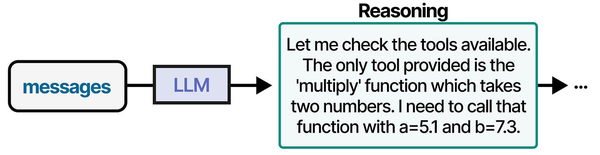

The Ollama REST API is the primary interface through which AI agents interact with local language models. As explored in An Illustrated Guide to AI Agents by Grootendorst and Alammar, well-defined tool interfaces — including REST APIs — are foundational to agent architectures, enabling the structured communication between planning, memory, and execution components.
Related Articles
- Ollama Python API: Build Linux Administration Tools with Local LLMs
- Ollama API Rate Limiting and Load Balancing on Linux
- Ollama and LangChain on Linux: Build AI Agents with Local Models
- Model Context Protocol (MCP) on Linux with Ollama: Connect AI to Your Tools
Further Reading
- An Illustrated Guide to AI Agents by Maarten Grootendorst and Jay Alammar — Visual guide to agent memory, tools, and reasoning.
- LLMs in Production by Christopher Brousseau and Matthew Sharp — Practical deployment of language models from training to production.
- Agentic AI in Enterprise by Sumit Ranjan, Divya Chembachere, and Lanwin Lobo — Enterprise architecture patterns for agentic AI systems.
Frequently Asked Questions
Is the Ollama API compatible with the OpenAI API format?
Ollama provides OpenAI-compatible endpoints at /v1/chat/completions and /v1/completions. These accept the same request format as the OpenAI API, which means many tools and libraries built for OpenAI work with Ollama by simply changing the base URL. Set the base URL to http://localhost:11434/v1 and use any model name you have pulled. The compatibility is not 100% — some advanced OpenAI features like function calling syntax may differ — but for standard chat and completion requests, it works as a drop-in replacement.
How do I handle timeouts for long-running generation requests?
Long prompts or large num_predict values can make requests take minutes. Use streaming mode and process tokens as they arrive rather than waiting for the complete response. In Python, set timeout on your requests session. For curl, use --max-time. On the server side, Ollama does not have built-in request timeouts — it will generate until completion or until the client disconnects. If you need server-side limits, implement them in a reverse proxy or middleware layer.
Can I run multiple Ollama instances on the same Linux server for different teams?
Yes. Run each instance on a different port using the OLLAMA_HOST environment variable. For example, OLLAMA_HOST=0.0.0.0:11434 for team A and OLLAMA_HOST=0.0.0.0:11435 for team B. Each instance maintains its own model storage directory (set via OLLAMA_MODELS). If using GPUs, assign specific GPUs to each instance with CUDA_VISIBLE_DEVICES to prevent contention. Docker Compose makes this easier by running each instance as a separate container with its own configuration.


