Text-to-speech has been dominated by cloud APIs for years. Google Cloud TTS, Amazon Polly, Microsoft Azure Speech — they all produce excellent output, and they all require sending your text to someone else's servers. For internal dashboards, accessibility features on private applications, alert narration in NOCs, or any scenario where the spoken content is sensitive, that dependency is a non-starter. Piper changes the equation entirely. It runs locally, generates speech faster than real-time on modest hardware, and the voice quality is genuinely good — not the robotic monotone you might associate with offline TTS.
Piper is a neural text-to-speech engine created by Michael Hansen (the developer behind Rhasspy, the open-source voice assistant). It uses VITS-based models that have been trained on public-domain speech datasets, producing natural-sounding output in over 30 languages. The inference engine is written in C++ with ONNX Runtime, which means it runs on CPU without needing a GPU. A Raspberry Pi 4 can generate speech faster than real-time. A typical Linux server processes text almost instantly.
This guide walks through the full deployment: installing Piper from source and from prebuilt binaries, selecting and managing voice models, building a production REST API around it, running the whole stack under systemd, and integrating it with real use cases like monitoring alerts, accessibility overlays, and document narration. For the foundational setup, see our complete Ollama installation guide. For GPU driver setup, see our NVIDIA driver and CUDA installation guide.
Installing Piper on Linux
There are three installation paths, each suited to different scenarios. The prebuilt binary is fastest. The Python package is most flexible. Building from source gives you maximum control over the ONNX Runtime configuration.
Option 1: Prebuilt Binary (Recommended for Production)
# Create a dedicated directory
sudo mkdir -p /opt/piper
cd /opt/piper

# Download the latest release for your architecture
# Check https://github.com/rhasspy/piper/releases for the current version
PIPER_VERSION="2024.11.14"
ARCH="amd64"

wget "https://github.com/rhasspy/piper/releases/download/${PIPER_VERSION}/piper_linux_${ARCH}.tar.gz"
tar -xzf "piper_linux_${ARCH}.tar.gz"

# Verify the binary works
./piper/piper --help

# Create a symlink for convenience
sudo ln -sf /opt/piper/piper/piper /usr/local/bin/piper

# Quick test — pipe text in, get WAV out
echo "Piper is running on this Linux server." | piper \
  --model en_US-lessac-medium.onnx \
  --output_file /tmp/test_piper.wav
Option 2: Python Package
# Create a virtual environment
python3 -m venv /opt/piper-venv
source /opt/piper-venv/bin/activate

# Install piper-tts from PyPI
pip install piper-tts

# Verify installation
piper --help

# The Python package can auto-download voices
echo "Testing the Python installation." | piper \
  --model en_US-lessac-medium \
  --output_file /tmp/test_piper_py.wav
Option 3: Build from Source
# Install build dependencies
sudo apt install -y build-essential cmake git pkg-config \
  libonnxruntime-dev libspdlog-dev libfmt-dev

# Clone the repository
git clone https://github.com/rhasspy/piper.git /opt/piper-src
cd /opt/piper-src

# Build with CMake
mkdir build && cd build
cmake .. -DCMAKE_BUILD_TYPE=Release
make -j$(nproc)

# The binary is at build/piper
./piper --help
Voice Model Management
Piper's voice quality depends entirely on the model you choose. Each model is an ONNX file paired with a JSON configuration file. Models vary in size, speed, and naturalness. The naming convention tells you what you are getting: language_REGION-speaker-quality.onnx.
Downloading and Organizing Voice Models
# Create a dedicated model directory
sudo mkdir -p /opt/piper/models
cd /opt/piper/models

# Download a high-quality English voice (Alba, British English)
wget https://huggingface.co/rhasspy/piper-voices/resolve/main/en/en_GB/alba/medium/en_GB-alba-medium.onnx
wget https://huggingface.co/rhasspy/piper-voices/resolve/main/en/en_GB/alba/medium/en_GB-alba-medium.onnx.json

# Download American English (Lessac — trained on the Lessac audiobook dataset)
wget https://huggingface.co/rhasspy/piper-voices/resolve/main/en/en_US/lessac/high/en_US-lessac-high.onnx
wget https://huggingface.co/rhasspy/piper-voices/resolve/main/en/en_US/lessac/high/en_US-lessac-high.onnx.json

# Download German voice (Thorsten, high quality)
wget https://huggingface.co/rhasspy/piper-voices/resolve/main/de/de_DE/thorsten/high/de_DE-thorsten-high.onnx
wget https://huggingface.co/rhasspy/piper-voices/resolve/main/de/de_DE/thorsten/high/de_DE-thorsten-high.onnx.json

# List all available models
ls -lh /opt/piper/models/
Quality tiers matter more than you might expect. The low models are fast but noticeably robotic. The medium models hit the sweet spot for most use cases — natural enough for alert narration and accessibility, fast enough for real-time streaming. The high models sound genuinely good, approaching cloud TTS quality, but take roughly twice the CPU time of medium models. On a modern server with an Intel Xeon or AMD EPYC, even the high-quality models generate speech at 10-20x real-time speed, so the performance difference rarely matters outside embedded devices.
Testing Voice Output
# Generate speech with different models and compare
for model in en_US-lessac-high en_GB-alba-medium; do
  echo "The server is experiencing elevated latency on the primary database connection." | \
    piper --model /opt/piper/models/${model}.onnx \
          --output_file /tmp/test_${model}.wav
  echo "Generated: /tmp/test_${model}.wav"
done

# Check the output file details
file /tmp/test_en_US-lessac-high.wav
soxi /tmp/test_en_US-lessac-high.wav  # Requires sox package

# Play the audio (if you have speakers or are forwarding audio)
aplay /tmp/test_en_US-lessac-high.wav
Building a REST API for TTS
The raw Piper binary reads from stdin and writes to a file or stdout. That works for scripts, but most production integrations need an HTTP API. A lightweight Python wrapper using FastAPI turns Piper into a network service that any application can call.
The API Server
#!/usr/bin/env python3
"""piper-api: REST API wrapper for Piper TTS."""

import hashlib
import os
import subprocess
import tempfile
from pathlib import Path

from fastapi import FastAPI, HTTPException, Query
from fastapi.responses import FileResponse
import uvicorn

app = FastAPI(title="Piper TTS API", version="1.0.0")

PIPER_BIN = os.environ.get("PIPER_BIN", "/usr/local/bin/piper")
MODELS_DIR = Path(os.environ.get("PIPER_MODELS", "/opt/piper/models"))
DEFAULT_MODEL = os.environ.get("PIPER_DEFAULT_MODEL", "en_US-lessac-medium")
CACHE_DIR = Path(os.environ.get("PIPER_CACHE", "/var/cache/piper"))
CACHE_DIR.mkdir(parents=True, exist_ok=True)

def get_available_models():
    """Scan the models directory for available ONNX models."""
    models = {}
    for onnx_file in MODELS_DIR.glob("*.onnx"):
        name = onnx_file.stem
        json_config = onnx_file.with_suffix(".onnx.json")
        if json_config.exists():
            models[name] = str(onnx_file)
    return models

@app.get("/api/voices")
def list_voices():
    """List all available voice models."""
    return {"voices": list(get_available_models().keys())}

@app.get("/api/tts")
def text_to_speech(
    text: str = Query(..., max_length=5000),
    voice: str = Query(DEFAULT_MODEL),
    rate: float = Query(1.0, ge=0.5, le=2.0),
    use_cache: bool = Query(True),
):
    """Convert text to speech, return WAV audio."""
    models = get_available_models()
    if voice not in models:
        raise HTTPException(404, f"Voice not found: {voice}")

    # Cache key based on text, voice, and rate
    cache_key = hashlib.sha256(
        f"{text}:{voice}:{rate}".encode()
    ).hexdigest()[:16]
    cache_file = CACHE_DIR / f"{cache_key}.wav"

    if use_cache and cache_file.exists():
        return FileResponse(cache_file, media_type="audio/wav")

    # Generate speech with Piper
    with tempfile.NamedTemporaryFile(suffix=".wav", delete=False) as tmp:
        tmp_path = tmp.name

    cmd = [
        PIPER_BIN,
        "--model", models[voice],
        "--output_file", tmp_path,
        "--length_scale", str(1.0 / rate),
    ]

    proc = subprocess.run(
        cmd, input=text.encode("utf-8"),
        capture_output=True, timeout=30,
    )

    if proc.returncode != 0:
        raise HTTPException(500, f"Piper error: {proc.stderr.decode()}")

    if use_cache:
        os.rename(tmp_path, str(cache_file))
        return FileResponse(str(cache_file), media_type="audio/wav")

    return FileResponse(tmp_path, media_type="audio/wav")

if __name__ == "__main__":
    uvicorn.run(app, host="0.0.0.0", port=5080)
Install Dependencies and Run
# Install the Python dependencies
pip install fastapi uvicorn

# Run the API server
python3 piper_api.py

# Test from another terminal
curl -G "http://localhost:5080/api/tts" \
  --data-urlencode "text=Alert: CPU usage on web-03 has exceeded 95 percent for the last five minutes." \
  --data-urlencode "voice=en_US-lessac-medium" \
  -o /tmp/alert.wav

# List available voices
curl http://localhost:5080/api/voices
Running Under Systemd
A TTS service needs to start at boot, restart on failure, and run with minimal privileges. A systemd unit file handles all of that cleanly.
Create a System User and Unit File
# Create a dedicated system user
sudo useradd -r -s /usr/sbin/nologin -d /opt/piper piper-tts

# Set ownership
sudo chown -R piper-tts:piper-tts /opt/piper /var/cache/piper

# Create the systemd unit file
sudo tee /etc/systemd/system/piper-tts.service <<EOF
[Unit]
Description=Piper Text-to-Speech API Server
After=network.target
Documentation=https://github.com/rhasspy/piper

[Service]
Type=simple
User=piper-tts
Group=piper-tts
WorkingDirectory=/opt/piper

Environment=PIPER_BIN=/usr/local/bin/piper
Environment=PIPER_MODELS=/opt/piper/models
Environment=PIPER_DEFAULT_MODEL=en_US-lessac-medium
Environment=PIPER_CACHE=/var/cache/piper

ExecStart=/opt/piper-venv/bin/python3 /opt/piper/piper_api.py
Restart=on-failure
RestartSec=5

NoNewPrivileges=true
ProtectSystem=strict
ProtectHome=true
ReadWritePaths=/var/cache/piper
PrivateTmp=true
ProtectKernelTunables=true
ProtectKernelModules=true

[Install]
WantedBy=multi-user.target
EOF

# Enable and start the service
sudo systemctl daemon-reload
sudo systemctl enable --now piper-tts.service

# Check status
sudo systemctl status piper-tts.service
journalctl -u piper-tts.service -f
Practical Integration: Monitoring Alert Narration
One of the most useful applications of local TTS is narrating monitoring alerts. When a critical alert fires at 3 AM, a spoken alert through the NOC speakers or a phone call is harder to miss than a Slack notification.
Alertmanager Webhook to Speech
#!/usr/bin/env python3
"""alertmanager-tts: Receive Alertmanager webhooks and speak them."""

import json
import subprocess
from flask import Flask, request

app = Flask(__name__)
TTS_API = "http://localhost:5080/api/tts"

def alert_to_text(alert):
    """Convert an Alertmanager alert payload to natural speech text."""
    status = alert.get("status", "unknown")
    labels = alert.get("labels", {})
    annotations = alert.get("annotations", {})
    severity = labels.get("severity", "warning")
    instance = labels.get("instance", "unknown host")
    alert_name = labels.get("alertname", "unnamed alert")
    summary = annotations.get("summary", "No description available.")

    if status == "firing":
        return f"Attention. {severity} alert on {instance}. {alert_name}. {summary}"
    return f"Resolved. {alert_name} on {instance} has returned to normal."

@app.route("/webhook", methods=["POST"])
def handle_webhook():
    data = request.get_json()
    for alert in data.get("alerts", []):
        text = alert_to_text(alert)
        subprocess.run([
            "curl", "-sG", TTS_API,
            "--data-urlencode", f"text={text}",
            "-o", "/tmp/alert_current.wav"
        ])
        subprocess.Popen(["aplay", "/tmp/alert_current.wav"])
    return "OK", 200

if __name__ == "__main__":
    app.run(host="0.0.0.0", port=5081)
Performance Tuning
Piper's performance on Linux is already strong out of the box, but there are specific knobs that can make a measurable difference for high-volume deployments.
CPU Thread Configuration
# Piper uses ONNX Runtime, which defaults to using all available cores.
# For a dedicated TTS server, this is fine. On shared servers, limit threads.

# Set ONNX Runtime thread count via environment variable
export OMP_NUM_THREADS=4

# Benchmark with different thread counts
for threads in 1 2 4 8; do
  export OMP_NUM_THREADS=$threads
  echo "Threads: $threads"
  time echo "This is a benchmark sentence for measuring text to speech performance." | \
    piper --model /opt/piper/models/en_US-lessac-medium.onnx \
          --output_file /dev/null 2>&1
done
Audio Output Format Options
# Piper outputs 16-bit PCM WAV by default at the model sample rate (usually 22050 Hz).
# For web delivery, convert to MP3 or OGG.

# Install ffmpeg for format conversion
sudo apt install -y ffmpeg

# Convert WAV to MP3
ffmpeg -i /tmp/alert.wav -codec:a libmp3lame -qscale:a 2 /tmp/alert.mp3

# Convert WAV to OGG Vorbis (smaller, open format)
ffmpeg -i /tmp/alert.wav -codec:a libvorbis -qscale:a 4 /tmp/alert.ogg
Caching Strategy for Production
If your application repeatedly speaks the same phrases — status announcements, menu items, common alert texts — caching the generated audio eliminates redundant computation. The API server above includes basic file-based caching, but a production deployment benefits from a more thoughtful approach.
#!/bin/bash
# piper-cache-manage.sh — Clean old cached TTS files

CACHE_DIR="/var/cache/piper"
MAX_AGE_DAYS=7
MAX_SIZE_MB=500

# Remove files older than MAX_AGE_DAYS
find "$CACHE_DIR" -name "*.wav" -mtime +$MAX_AGE_DAYS -delete

# If total cache exceeds MAX_SIZE_MB, remove oldest files first
CURRENT_SIZE=$(du -sm "$CACHE_DIR" | cut -f1)
if [ "$CURRENT_SIZE" -gt "$MAX_SIZE_MB" ]; then
  echo "Cache size ${CURRENT_SIZE}MB exceeds limit. Pruning..."
  ls -1t "$CACHE_DIR"/*.wav | tail -n +1000 | xargs rm -f
fi

echo "Cache size after cleanup: $(du -sh "$CACHE_DIR" | cut -f1)"
# Add a cron job for cache management
echo "0 3 * * * /opt/piper/piper-cache-manage.sh" | sudo crontab -u piper-tts -Multi-Language Support
Piper supports over 30 languages with varying levels of quality. For international deployments, you can route text to the appropriate voice model based on language detection.
# Download voice models for multiple languages
cd /opt/piper/models

# French
wget https://huggingface.co/rhasspy/piper-voices/resolve/main/fr/fr_FR/siwis/medium/fr_FR-siwis-medium.onnx
wget https://huggingface.co/rhasspy/piper-voices/resolve/main/fr/fr_FR/siwis/medium/fr_FR-siwis-medium.onnx.json

# Spanish
wget https://huggingface.co/rhasspy/piper-voices/resolve/main/es/es_ES/davefx/medium/es_ES-davefx-medium.onnx
wget https://huggingface.co/rhasspy/piper-voices/resolve/main/es/es_ES/davefx/medium/es_ES-davefx-medium.onnx.json

# Use langdetect for automatic language routing
pip install langdetect

python3 -c "
from langdetect import detect

texts = [
    'The server is running normally.',
    'Le serveur fonctionne normalement.',
    'El servidor funciona con normalidad.',
]

lang_to_voice = {
    'en': 'en_US-lessac-medium',
    'fr': 'fr_FR-siwis-medium',
    'es': 'es_ES-davefx-medium',
}

for text in texts:
    lang = detect(text)
    voice = lang_to_voice.get(lang, 'en_US-lessac-medium')
    print(f'Language: {lang} -> Voice: {voice} -> Text: {text}')
"
Security Considerations
A TTS API that accepts arbitrary text can be abused. Rate limiting, input validation, and network restrictions are all necessary for any deployment that is not purely internal.
# Restrict the API to localhost and internal network using iptables
sudo iptables -A INPUT -p tcp --dport 5080 -s 127.0.0.1 -j ACCEPT
sudo iptables -A INPUT -p tcp --dport 5080 -s 10.0.0.0/8 -j ACCEPT
sudo iptables -A INPUT -p tcp --dport 5080 -j DROP

# Or use nginx as a reverse proxy with rate limiting
# In your nginx server block:
# limit_req_zone $binary_remote_addr zone=tts:10m rate=10r/s;
#
# location /api/tts {
#     limit_req zone=tts burst=20 nodelay;
#     proxy_pass http://127.0.0.1:5080;
# }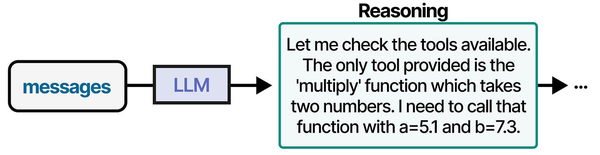
Self-hosting Piper TTS on Linux represents a practical implementation of tool integration for AI agents. As described in An Illustrated Guide to AI Agents by Grootendorst and Alammar, agents rely on well-defined tool interfaces to extend their capabilities — and a local TTS server provides the speech synthesis tool that voice-enabled agents require.
Related Articles
- Whisper Speech-to-Text on Linux: Deploy a Self-Hosted Transcription Server
- Self-Hosted AI Translation Server on Linux with Ollama
- AI Document OCR on Linux: Open Source Pipeline with Tesseract and LLMs
- AI-Powered Monitoring and Alerting on Linux with Open Source Tools
Further Reading
- An Illustrated Guide to AI Agents by Maarten Grootendorst and Jay Alammar — Visual guide to agent memory, tools, and reasoning.
- LLMs in Production by Christopher Brousseau and Matthew Sharp — Practical deployment of language models from training to production.
- Agentic AI in Enterprise by Sumit Ranjan, Divya Chembachere, and Lanwin Lobo — Enterprise architecture patterns for agentic AI systems.
Frequently Asked Questions
Does Piper need a GPU to run?
No. Piper uses ONNX Runtime for CPU inference by default, and it runs efficiently on standard server CPUs. On a modern Xeon or EPYC processor, Piper generates speech at 10-20x real-time speed with medium-quality models. GPU acceleration is supported through ONNX Runtime's CUDA provider if you want even faster throughput, but CPU performance is more than sufficient for most deployments — even a Raspberry Pi 4 handles it.
How does Piper's voice quality compare to cloud TTS services like Amazon Polly?
Piper's high-quality models are surprisingly close to mid-tier cloud offerings. They handle natural intonation, sentence rhythm, and basic prosody well. Where cloud services still lead is in expressiveness — emotional range, emphasis, and handling of unusual text like abbreviations or mixed-language content. For alert narration, accessibility features, and standard text reading, Piper is perfectly adequate. For audiobook-quality narration, cloud services retain an edge.
Can I train custom voice models for Piper?
Yes. Piper provides training scripts based on the VITS architecture. You need a clean audio dataset of at least 2-4 hours from a single speaker, aligned with transcripts. The training process uses PyTorch and typically requires a GPU with 8+ GB of VRAM. The Piper documentation includes a training guide, and the community has published tutorials for creating custom voices from audiobook recordings or purpose-recorded datasets.
What is the maximum text length Piper can process in a single request?
Piper processes text sequentially, so there is no hard technical limit. However, very long texts (over 10,000 characters) can result in slow response times and high memory usage. For long documents, split the text into paragraphs or sentences, generate audio for each segment, and concatenate the WAV files using sox or ffmpeg. This approach also allows you to use different voices or speaking rates for different sections.
How do I add SSML support for pronunciation control?
Piper does not natively support SSML (Speech Synthesis Markup Language). For pronunciation control, you can use phoneme input mode. Piper supports eSpeak-ng phonemes, which lets you specify exact pronunciation for tricky words — technical terms, proper nouns, or acronyms that the default text processing gets wrong. Pass phonemes using the --json-input flag with a JSON payload containing the phoneme sequence.


