What Changed in Kernel 6.12
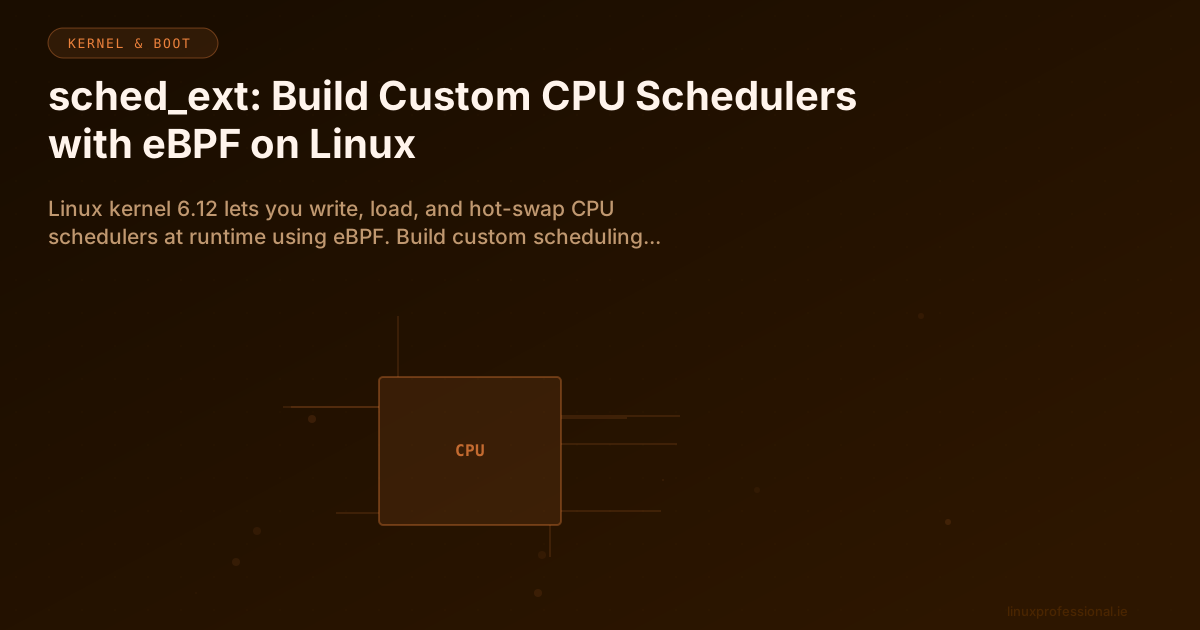
For decades, changing the Linux CPU scheduler meant patching the kernel source, recompiling, rebooting, and hoping nothing broke. That era ended with kernel 6.12. The sched_ext (extensible scheduler class) framework lets you write, load, and hot-swap CPU scheduling policies at runtime using eBPF programs. No recompilation. No reboot. Just load a new scheduler like you load a kernel module.
This is not a toy. Meta runs custom sched_ext schedulers across their production fleet to optimise for specific workload patterns. Google is experimenting with per-cgroup scheduling policies. The gaming community uses scx_lavd to eliminate microstutters. And you can build your own in an afternoon.
The Architecture
sched_ext sits alongside CFS (Completely Fair Scheduler) and RT (Real-Time) as a third scheduling class in the kernel. When you load a sched_ext scheduler, the kernel delegates scheduling decisions for a set of tasks to your eBPF program. If your program crashes or is unloaded, the kernel transparently falls back to CFS. Zero downtime.
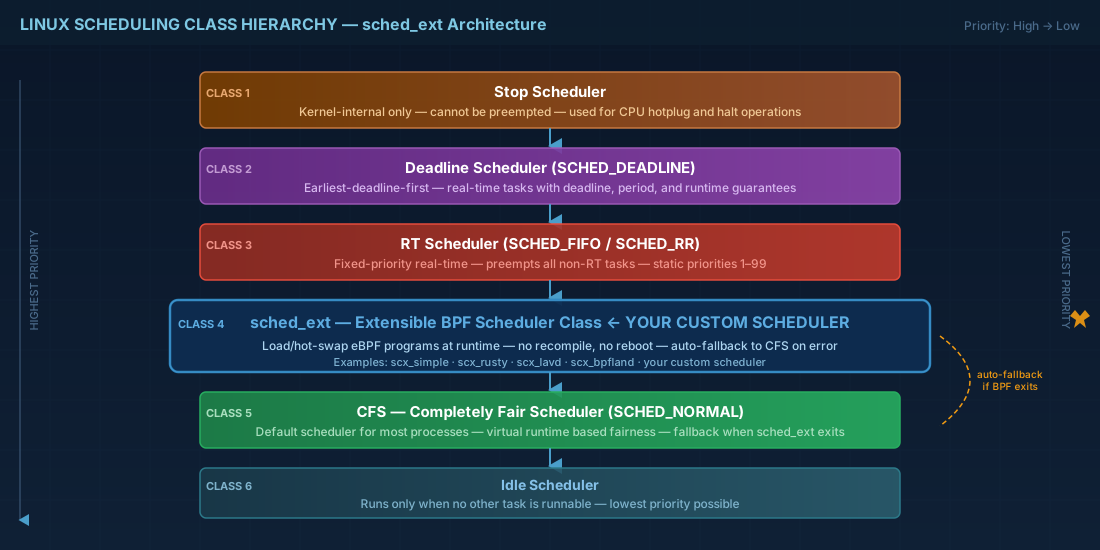
# The scheduling class hierarchy:
# 1. Stop scheduler     (highest priority — kernel internal)
# 2. Deadline scheduler  (SCHED_DEADLINE)
# 3. RT scheduler        (SCHED_FIFO, SCHED_RR)
# 4. sched_ext           ← your custom eBPF scheduler lives here
# 5. CFS                 (SCHED_NORMAL — the default)
# 6. Idle scheduler      (lowest priority)
Prerequisites
# Kernel 6.12+ with CONFIG_SCHED_CLASS_EXT=y
uname -r
# 6.12.8-200.fc41.x86_64

# Verify sched_ext support
grep CONFIG_SCHED_CLASS_EXT /boot/config-$(uname -r)
# CONFIG_SCHED_CLASS_EXT=y

# Install build dependencies (Fedora/RHEL)
sudo dnf install -y clang llvm libbpf-devel bpftool \
  rust cargo elfutils-libelf-devel gcc make

# On Debian/Ubuntu (kernel 6.12+ required — not yet in stable)
sudo apt install -y clang llvm libbpf-dev linux-tools-$(uname -r)
Your First Custom Scheduler
Clone the scx repository — it contains the framework, example schedulers, and the Rust and C libraries for building your own.
git clone https://github.com/sched-ext/scx.git
cd scx

# Build all example schedulers
meson setup build
meson compile -C build

# Or build just the simple example
cd scheds/c/scx_simple
make
Understanding scx_simple
The simplest possible sched_ext scheduler does one thing: when a task becomes runnable, pick the first available CPU and dispatch the task there. No load balancing, no fairness, no NUMA awareness. It is terrible — and that is the point. It is the "hello world" of CPU scheduling.
// Simplified version of scx_simple (C + BPF)
// The key callback: a task is ready to run — pick a CPU
s32 BPF_STRUCT_OPS(simple_select_cpu, struct task_struct *p,
                    s32 prev_cpu, u64 wake_flags)
{
    s32 cpu;
    // Try to find an idle CPU, preferring the previous one
    cpu = scx_bpf_select_cpu_dfl(p, prev_cpu, wake_flags);
    return cpu;
}

// Dispatch: move the task from the BPF queue to a CPU run queue
void BPF_STRUCT_OPS(simple_enqueue, struct task_struct *p, u64 enq_flags)
{
    // SCX_DSQ_GLOBAL = the shared global dispatch queue
    scx_bpf_dispatch(p, SCX_DSQ_GLOBAL, SCX_SLICE_DFL, enq_flags);
}
Loading Your Scheduler
# Load scx_simple — immediately takes over scheduling
sudo ./scx_simple

# In another terminal, verify it is active
cat /sys/kernel/sched_ext/root/ops
# simple

# Monitor scheduling statistics
cat /sys/kernel/sched_ext/root/stats

# Unload — the kernel falls back to CFS instantly
# Just Ctrl+C the scx_simple process, or:
sudo kill $(pgrep scx_simple)
Production-Grade Schedulers in scx
scx_rusty — NUMA-Aware Load Balancer
# Written in Rust. Understands NUMA topology and balances load
# across NUMA nodes while keeping tasks close to their memory.
sudo scx_rusty

# Great for database servers and memory-intensive workloads
# where CFS cross-NUMA migration causes TLB shootdowns.
scx_lavd — Latency-Optimised for Interactive Workloads
# Prioritises latency-sensitive tasks (audio, UI, gaming)
# over throughput-heavy background tasks.
sudo scx_lavd

# Perfect for Linux desktop/gaming where CFS treats
# a game render thread the same as a backup job.
scx_bpfland — General Purpose Replacement for CFS
# Aims to be a drop-in CFS replacement with better
# interactive latency and competitive throughput.
sudo scx_bpfland

# Benchmark it against CFS:
# Terminal 1: sudo scx_bpfland
# Terminal 2: sysbench cpu --threads=$(nproc) run
Building a Custom Scheduler in Rust
# The scx Rust framework makes this surprisingly accessible.
# Scaffold a new scheduler:
cd scx/scheds/rust
cargo new --lib scx_custom
cd scx_custom

# Cargo.toml dependencies:
[dependencies]
scx_utils = { path = "../../rust/scx_utils" }
libbpf-rs = "0.24"
anyhow = "1.0"
The minimum viable Rust scheduler needs three callbacks:
// 1. select_cpu — choose which CPU a waking task should run on
// 2. enqueue   — place the task in a dispatch queue
// 3. dispatch  — move tasks from BPF queues to CPU run queues

// Everything else (init, exit, tick, etc.) is optional.
// The framework provides sensible defaults.
Real-World Use Case: Database Latency
A PostgreSQL server running analytical queries alongside OLTP transactions. CFS treats both equally, causing tail latency spikes on OLTP during heavy analytics.
# Solution: write a scheduler that detects cgroup membership
# and gives OLTP tasks (in the 'oltp' cgroup) strict priority
# over analytics tasks (in the 'analytics' cgroup).

# Create cgroups
sudo cgcreate -g cpu:oltp
sudo cgcreate -g cpu:analytics

# Move PostgreSQL backends by PID
sudo cgclassify -g cpu:oltp $(pgrep -f "postgres.*oltp")
sudo cgclassify -g cpu:analytics $(pgrep -f "postgres.*analytics")

# Load your cgroup-aware scheduler
sudo ./scx_cgroup_prio --high-prio=oltp --low-prio=analytics
Things Most Engineers Do Not Know
- Hot-swap is instant — you can switch from one sched_ext scheduler to another with zero task interruption. The kernel drains the old scheduler and activates the new one atomically.
- Per-cgroup scheduling — different cgroups can have different scheduling policies under the same sched_ext scheduler. Your web server gets latency-optimised scheduling while your batch jobs get throughput-optimised scheduling.
- Fallback is automatic — if your eBPF scheduler panics, returns an error, or is killed, the kernel reverts to CFS within microseconds. Production safety is built in.
- The 5ms default slice —
SCX_SLICE_DFLis 5ms. You can make it shorter for interactive workloads (1ms) or longer for throughput (20ms). This single parameter has massive impact. - sched_ext has overhead — the eBPF dispatch path adds ~200-500ns per scheduling decision versus CFS. For most workloads, this is irrelevant. For HFT or real-time audio, it matters.
Summary
sched_ext is the most significant scheduler development since CFS replaced the O(1) scheduler in 2007. For the first time, you can prototype, test, and deploy custom scheduling policies without touching kernel source. Whether you are tuning database latency, optimising gaming frame times, or building workload-specific schedulers for your fleet, sched_ext makes it possible with a few hundred lines of eBPF code.