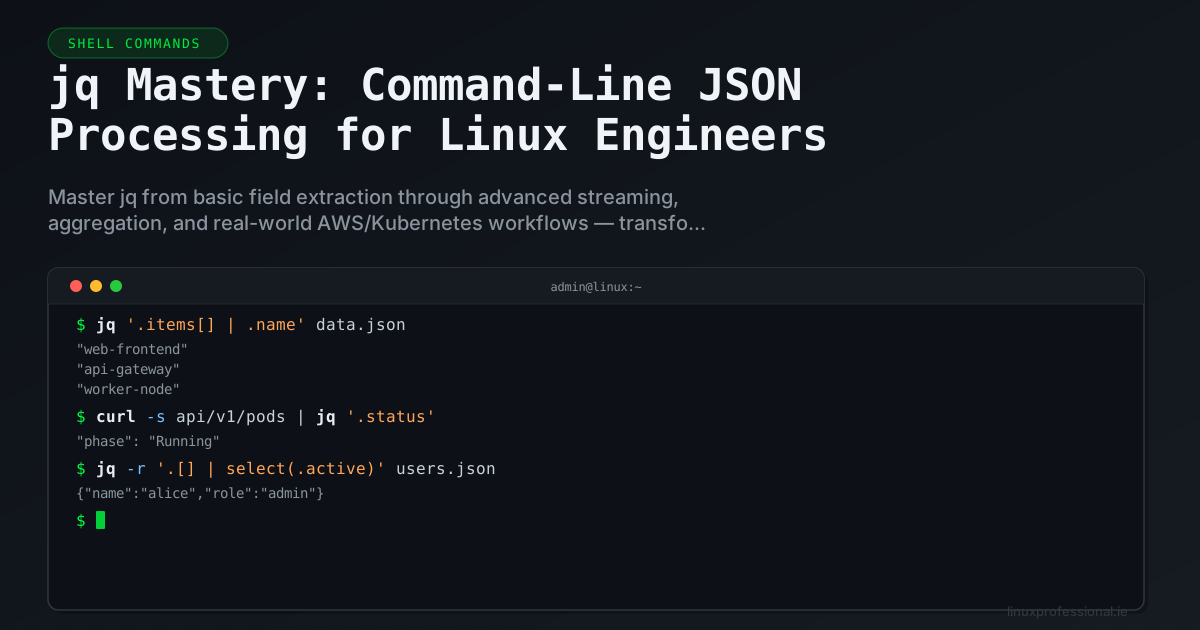
Every modern API returns JSON. Every configuration management tool speaks JSON. Every cloud provider's CLI outputs JSON. Yet most engineers still pipe curl output through grep and sed — fighting a structured format with tools designed for flat text. jq is the missing piece: a complete programming language for JSON that transforms how you work with structured data on the command line.
Installation and First Principles
# Install on every major platform
# RHEL/Rocky/Alma
sudo dnf install -y jq

# Debian/Ubuntu
sudo apt install -y jq

# macOS
brew install jq

# Alpine (containers)
apk add jq

# Verify
jq --version
# jq-1.7.1
The fundamental concept: jq reads JSON from stdin, applies a filter expression, and writes the result to stdout. The simplest filter is . which passes input unchanged (but pretty-printed):
# Pretty-print compact JSON
echo '{"name":"server01","status":"running","cpu":45.2}' | jq '.'

# Output:
# {
#   "name": "server01",
#   "status": "running",
#   "cpu": 45.2
# }
Navigation: Drilling Into Nested Structures
# Extract a single field
echo '{"server":{"hostname":"web01","ip":"10.0.1.5"}}' | jq '.server.hostname'
# "web01"

# Remove quotes with -r (raw output)
echo '{"server":{"hostname":"web01","ip":"10.0.1.5"}}' | jq -r '.server.hostname'
# web01

# Array indexing
echo '{"ips":["10.0.1.1","10.0.1.2","10.0.1.3"]}' | jq '.ips[0]'
# "10.0.1.1"

# Negative indexing (last element)
echo '{"ips":["10.0.1.1","10.0.1.2","10.0.1.3"]}' | jq '.ips[-1]'
# "10.0.1.3"

# Array slicing
echo '{"ips":["10.0.1.1","10.0.1.2","10.0.1.3"]}' | jq '.ips[1:3]'
# ["10.0.1.2", "10.0.1.3"]

# Optional object access (no error if key missing)
echo '{"name":"web01"}' | jq '.missing_key // "default_value"'
# "default_value"
The Iterator: Processing Arrays Like a Pro
The .[] operator is jq's iterator — it unwraps an array or object and outputs each element individually. This is the single most important concept to master.
# Iterate array elements
echo '[1,2,3,4,5]' | jq '.[]'
# 1
# 2
# 3
# 4
# 5

# Extract one field from every object in an array
cat << 'EOF' | jq -r '.[].hostname'
[
  {"hostname": "web01", "role": "frontend"},
  {"hostname": "db01", "role": "database"},
  {"hostname": "cache01", "role": "redis"}
]
EOF
# web01
# db01
# cache01

# Wrap iterated results back into an array with [ ]
cat << 'EOF' | jq '[.[].hostname]'
[
  {"hostname": "web01", "role": "frontend"},
  {"hostname": "db01", "role": "database"},
  {"hostname": "cache01", "role": "redis"}
]
EOF
# ["web01", "db01", "cache01"]
Filtering and Selection: Where jq Gets Powerful
# select() — filter objects based on conditions
cat << 'EOF' | jq '.[] | select(.cpu > 80)'
[
  {"host": "web01", "cpu": 23.5},
  {"host": "web02", "cpu": 91.2},
  {"host": "db01", "cpu": 85.0},
  {"host": "cache01", "cpu": 12.1}
]
EOF
# {"host": "web02", "cpu": 91.2}
# {"host": "db01", "cpu": 85.0}

# Combine select with field extraction
cat << 'EOF' | jq -r '.[] | select(.cpu > 80) | .host'
[
  {"host": "web01", "cpu": 23.5},
  {"host": "web02", "cpu": 91.2},
  {"host": "db01", "cpu": 85.0},
  {"host": "cache01", "cpu": 12.1}
]
EOF
# web02
# db01

# String matching with test() (regex)
cat << 'EOF' | jq '.[] | select(.name | test("^web"))'
[
  {"name": "web01", "ip": "10.0.1.1"},
  {"name": "db01", "ip": "10.0.2.1"},
  {"name": "web02", "ip": "10.0.1.2"}
]
EOF
# {"name": "web01", "ip": "10.0.1.1"}
# {"name": "web02", "ip": "10.0.1.2"}

# Multiple conditions with and/or
cat << 'EOF' | jq '.[] | select(.cpu > 50 and .status == "running")'
[
  {"host": "web01", "cpu": 75, "status": "running"},
  {"host": "web02", "cpu": 30, "status": "running"},
  {"host": "db01", "cpu": 90, "status": "maintenance"}
]
EOF
# {"host": "web01", "cpu": 75, "status": "running"}
Construction: Building New JSON Objects
# Create new objects from existing data
cat << 'EOF' | jq '.[] | {server: .hostname, address: .ip}'
[
  {"hostname": "web01", "ip": "10.0.1.1", "role": "frontend", "cpu": 45},
  {"hostname": "db01", "ip": "10.0.2.1", "role": "database", "cpu": 78}
]
EOF
# {"server": "web01", "address": "10.0.1.1"}
# {"server": "db01", "address": "10.0.2.1"}

# String interpolation
cat << 'EOF' | jq -r '.[] | "Host \(.hostname) at \(.ip) using \(.cpu)% CPU"'
[
  {"hostname": "web01", "ip": "10.0.1.1", "cpu": 45},
  {"hostname": "db01", "ip": "10.0.2.1", "cpu": 78}
]
EOF
# Host web01 at 10.0.1.1 using 45% CPU
# Host db01 at 10.0.2.1 using 78% CPU

# Generate shell variables from JSON
eval $(echo '{"db_host":"10.0.2.1","db_port":5432,"db_name":"prod"}' | \
  jq -r 'to_entries | .[] | "export \(.key | ascii_upcase)=\(.value)"')
echo "$DB_HOST:$DB_PORT/$DB_NAME"
# 10.0.2.1:5432/prod
Aggregation: map, reduce, group_by
# map — transform every element
echo '[1,2,3,4,5]' | jq 'map(. * 2)'
# [2, 4, 6, 8, 10]

# map with object transformation
cat << 'EOF' | jq 'map({name: .hostname, critical: (.cpu > 80)})'
[
  {"hostname": "web01", "cpu": 45},
  {"hostname": "web02", "cpu": 91},
  {"hostname": "db01", "cpu": 85}
]
EOF
# [{"name":"web01","critical":false},{"name":"web02","critical":true},{"name":"db01","critical":true}]

# Aggregation functions
echo '[45, 91, 85, 12, 67]' | jq 'add / length'
# 60 (average)

echo '[45, 91, 85, 12, 67]' | jq '{min: min, max: max, sum: add, count: length}'
# {"min": 12, "max": 91, "sum": 300, "count": 5}

# group_by — group objects by a field value
cat << 'EOF' | jq 'group_by(.role) | map({role: .[0].role, count: length, hosts: map(.hostname)})'
[
  {"hostname": "web01", "role": "frontend"},
  {"hostname": "web02", "role": "frontend"},
  {"hostname": "db01", "role": "database"},
  {"hostname": "cache01", "role": "cache"},
  {"hostname": "cache02", "role": "cache"}
]
EOF
# [
#   {"role": "cache", "count": 2, "hosts": ["cache01", "cache02"]},
#   {"role": "database", "count": 1, "hosts": ["db01"]},
#   {"role": "frontend", "count": 2, "hosts": ["web01", "web02"]}
# ]
Real-World Cloud and API Workflows
AWS CLI: Instance Inventory
# Get a clean inventory of all EC2 instances
aws ec2 describe-instances | jq -r '
  .Reservations[].Instances[] |
  select(.State.Name == "running") |
  [
    (.Tags // [] | map(select(.Key == "Name")) | .[0].Value // "unnamed"),
    .InstanceId,
    .InstanceType,
    .PrivateIpAddress,
    (.LaunchTime | split("T")[0])
  ] | @tsv
' | column -t

# Output:
# web-prod-01    i-0abc123  t3.large   10.0.1.15   2025-11-20
# db-prod-01     i-0def456  r6g.xlarge 10.0.2.8    2025-09-15
# cache-prod-01  i-0ghi789  r6g.large  10.0.3.22   2026-01-05
Kubernetes: Pod Health Dashboard
# Quick pod status overview
kubectl get pods -A -o json | jq -r '
  .items[] |
  select(.status.phase != "Succeeded") |
  [
    .metadata.namespace,
    .metadata.name,
    .status.phase,
    (.status.containerStatuses // [] | map(.restartCount) | add // 0),
    (.status.conditions // [] | map(select(.type == "Ready" and .status == "True")) | length > 0 | if . then "ready" else "NOT_READY" end)
  ] | @tsv
' | sort | column -t -s $'\t'
GitHub API: Repository Analytics
# Top contributors by commit count for a repo
gh api repos/torvalds/linux/contributors --paginate | jq -r '
  sort_by(-.contributions) |
  .[0:10][] |
  "\(.contributions)\t\(.login)"
' | column -t
Advanced Patterns Most Engineers Never Use
@base64 and @uri Encoding
# Base64 encode values (useful for Kubernetes secrets)
echo '{"user":"admin","pass":"s3cret!"}' | jq '{
  apiVersion: "v1",
  kind: "Secret",
  metadata: {name: "app-creds"},
  data: {
    username: (.user | @base64),
    password: (.pass | @base64)
  }
}'

# URL-encode values for API calls
echo '{"query":"status:error AND host:web*"}' | jq -r '.query | @uri'
# status%3Aerror%20AND%20host%3Aweb*
env and $ENV: Reading Environment Variables
# Inject environment variables into JSON
export DB_HOST="10.0.2.1"
export DB_PORT="5432"

jq -n '{host: env.DB_HOST, port: (env.DB_PORT | tonumber)}'
# {"host": "10.0.2.1", "port": 5432}
reduce: Custom Aggregations
# Build a lookup map from an array
cat << 'EOF' | jq 'reduce .[] as $item ({}; .[$item.id] = $item.name)'
[
  {"id": "i-abc123", "name": "web01"},
  {"id": "i-def456", "name": "db01"},
  {"id": "i-ghi789", "name": "cache01"}
]
EOF
# {"i-abc123": "web01", "i-def456": "db01", "i-ghi789": "cache01"}
Streaming Large Files with --stream
# Process a 10GB JSON file without loading it entirely into memory
jq --stream -c 'select(.[0][0] == "records" and .[0][2] == "status" and .[1] == "error")' huge_file.json

# Count elements in a massive array without parsing the whole thing
jq --stream 'select(length == 2 and .[0][0] == "items") | .[1]' huge.json | wc -l
Building Shell Scripts with jq
#!/bin/bash
# server-audit.sh — Audit servers from JSON inventory

set -euo pipefail

INVENTORY="servers.json"

# Validate JSON before processing
if ! jq empty "$INVENTORY" 2>/dev/null; then
    echo "ERROR: Invalid JSON in $INVENTORY" >&2
    exit 1
fi

# Extract servers needing attention
echo "=== Servers with high CPU ==="
jq -r '.servers[] | select(.metrics.cpu > 80) |
    "  ALERT: \(.hostname) at \(.metrics.cpu)% CPU (\(.role))"' "$INVENTORY"

echo ""
echo "=== Disk space warnings ==="
jq -r '.servers[] | select(.metrics.disk_pct > 75) |
    "  WARN: \(.hostname) disk at \(.metrics.disk_pct)% (\(.metrics.disk_used)/\(.metrics.disk_total))"' "$INVENTORY"

echo ""
echo "=== Summary ==="
jq '{
    total: (.servers | length),
    running: ([.servers[] | select(.status == "running")] | length),
    high_cpu: ([.servers[] | select(.metrics.cpu > 80)] | length),
    low_disk: ([.servers[] | select(.metrics.disk_pct > 75)] | length),
    avg_cpu: ([.servers[].metrics.cpu] | add / length | . * 100 | round / 100)
}' "$INVENTORY"
jq vs Alternatives: When to Use What
While jq dominates JSON processing on the command line, know its boundaries:
jq— best for JSON transformation, filtering, and construction on the CLIyq— jq-compatible syntax for YAML files (essential for Kubernetes work)xq— jq-compatible syntax for XML (part ofyqin some distributions)gron— converts JSON to grep-friendly flat format (useful for discovery)fx— interactive JSON viewer with JavaScript expressions
# yq: Process Kubernetes YAML the same way
yq '.spec.template.spec.containers[0].resources' deployment.yaml

# gron: Make JSON greppable
echo '{"a":{"b":{"c":"deep"}}}' | gron
# json = {};
# json.a = {};
# json.a.b = {};
# json.a.b.c = "deep";

# gron output is greppable AND reversible
echo '{"a":{"b":{"c":"deep"}}}' | gron | grep "deep" | gron -u
# {"a":{"b":{"c":"deep"}}}
Once jq clicks in your workflow, you will wonder how you ever parsed JSON with grep and awk. It transforms the command line from a text-processing tool into a full structured-data processing environment — and that changes how you think about every API, config file, and data pipeline you touch.